

Typography
Choose Kera's heading and body fonts, scale their sizes, and set labels in uppercase or sentence case.
Kera uses one font for headings and one for everything else. Each has a Size control that scales its whole set of text styles, so they stay in proportion.
Set it up#
- Under Headings, click Font and pick a font from Shopify's font library.
- Under Body, do the same.
- Move each Size to make that set of text larger or smaller.
- Choose a Label style, then click Save.
Settings#
Typography settings
Label style: buttons, eyebrows, navigation and badges. Installs as Uppercase. Sentence case shows labels as you typed them.

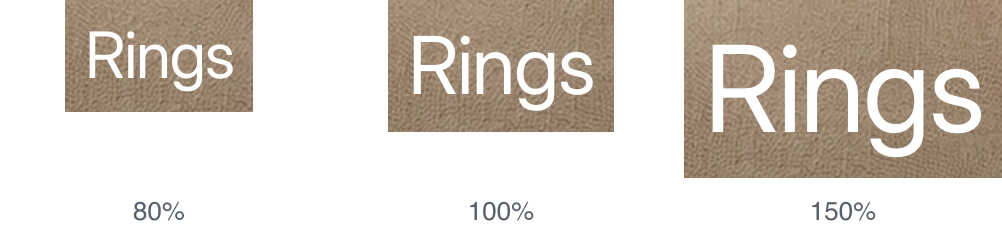
Size under Headings: 80% to 150%, default 100%.
| Setting | What it does |
|---|---|
| Font | Under Headings: page titles and section headings. Under Body: body text, prices, buttons, labels and navigation. Both install as Inter Regular. The bold and italic styles load with it. |
| Size | Under Body: 90% to 120%, default 100%. Phones use smaller sizes, and both sizes apply there too. |
Good to know#
Can I upload my own font?
Not from the theme settings. Font offers the fonts in Shopify's font library. Adding a custom font file needs a code change.
How does a section's heading size relate to these?
It picks one of the heading styles, such as H2 or H3. Size under Headings then scales that style, along with all the others.
My headings look too heavy after changing the font.
Open Font under Headings and pick a lighter style of the same family, such as Light or Regular.