

Quick add and quick view
Turn on Kera's quick add button on product cards, style it, and set up the quick view drawer that opens for products with options.
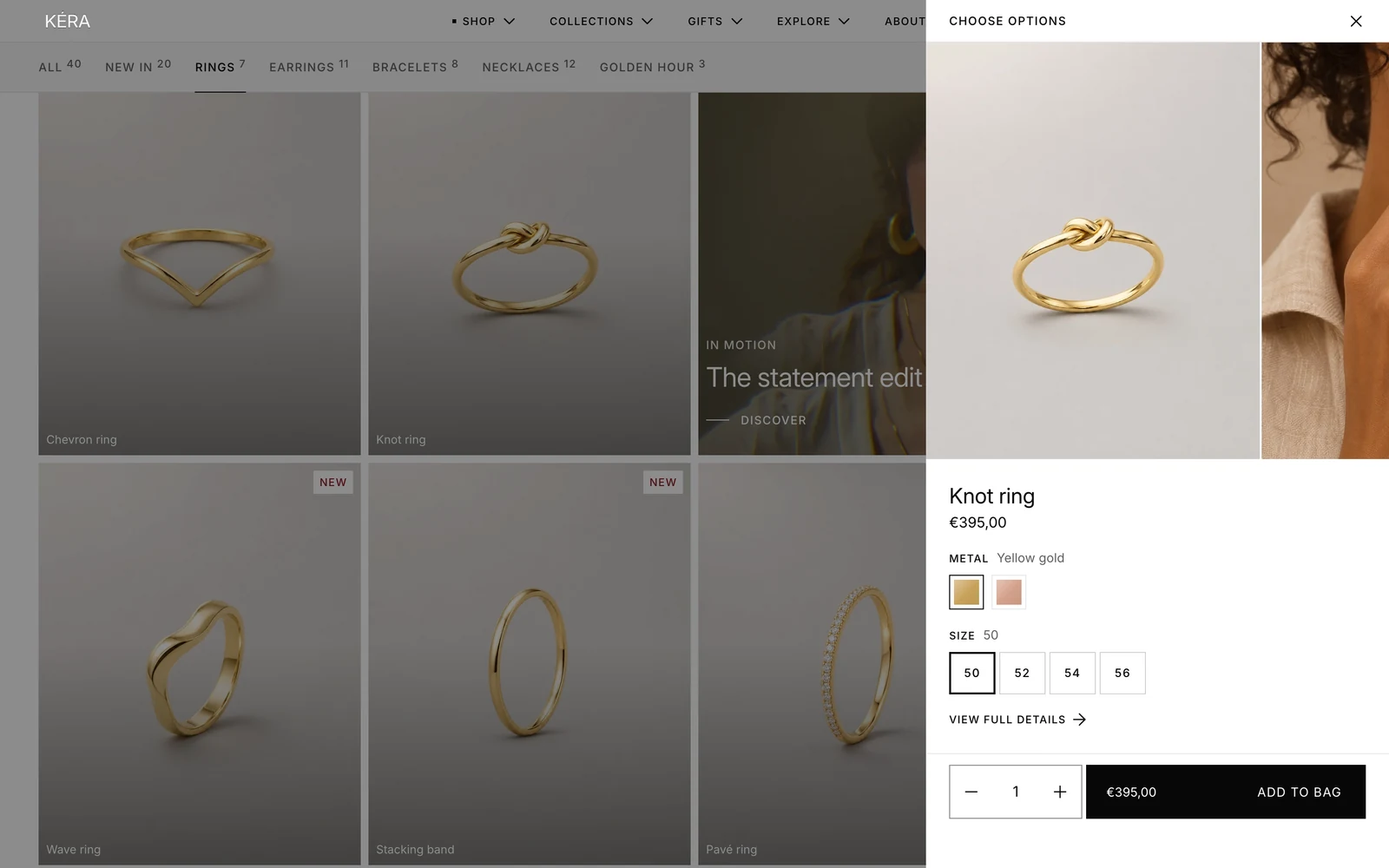
A + button on product cards. A product with one choice goes straight into the bag; a product with options opens quick view, a drawer with photos, options and Add to bag.
Set it up#
- In Theme settings > Quick add, turn on Show quick add.
- Choose Show the button, Position, Style and the button colors.
- Under Quick view, set Option style to match the product page.
- In the sidebar, under Overlays, select Quick view and set its Color scheme, Show product media and Show link to full details.
Settings#
Theme settings > Quick add
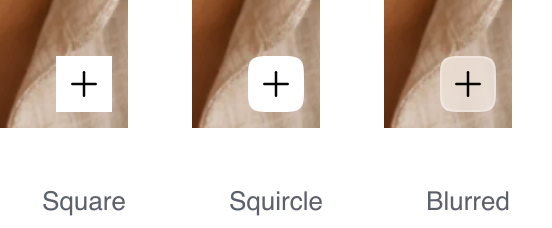
Style: the + button's shape. Installs as Square. Blurred shows the Background color see-through over the image.
| Setting | What it does |
|---|---|
| Show quick add | Shows the + button on product cards. Installs on. |
| Show the button | On hover (desktop) or Always. Installs as On hover (desktop). Touch screens without hover show it either way. |
| Position | Bottom right or Bottom left of the card image. Installs as Bottom right. |
| Background | Installs white. |
| Icon | The + color. Installs near black. |
| Hover background | Installs near black. |
| Hover icon | Installs white. |
| Option style | Options in quick view: Buttons, Color circles, Variant images, Variant tiles, Squares or Dropdown. Installs as Squares. |
Quick view section
| Setting | What it does |
|---|---|
| Color scheme | The drawer's colors. |
| Show product media | The product's photos at the top of the drawer, up to 8. |
| Show link to full details | Adds a link to the product page. |
Good to know#
When does the + button add straight to the bag?
When the product has a single variant, doesn't require a subscription, isn't a gift card and doesn't use the engraving template. Otherwise it opens quick view, since those need a choice first. Sold-out products have no button. After an add, the store follows Theme settings > Cart > After adding to the bag.
The + button opens the product page instead of quick view.
The Quick view section is missing from the Overlays group. Add it back with Add section. Without it, product links in other drawers go to the product page too.