

Lookbook
Build a shoppable lookbook page where each look adds its pieces to the bag, and link to it from a carousel of looks.
Two sections for looks, under Storytelling in the section list: the Lookbook itself, and a carousel that leads to it.
| Section | What it's for |
|---|---|
| Lookbook | A page of full-width looks, each with its pieces and an Add the look button |
| Lookbook carousel | A row of look cards that link to the lookbook, for example on the home page |
New to the editor? See How the editor is organized.
Do it with Sidekick
Open Sidekick in the theme editor and paste this, with your own names. Check the preview, then click Save.
In the Lookbook section on the lookbook page, add a Look block with the heading "Morning gold" and the products "Pearl drop earrings" and "Chain bracelet" as its Pieces.
Lookbook#
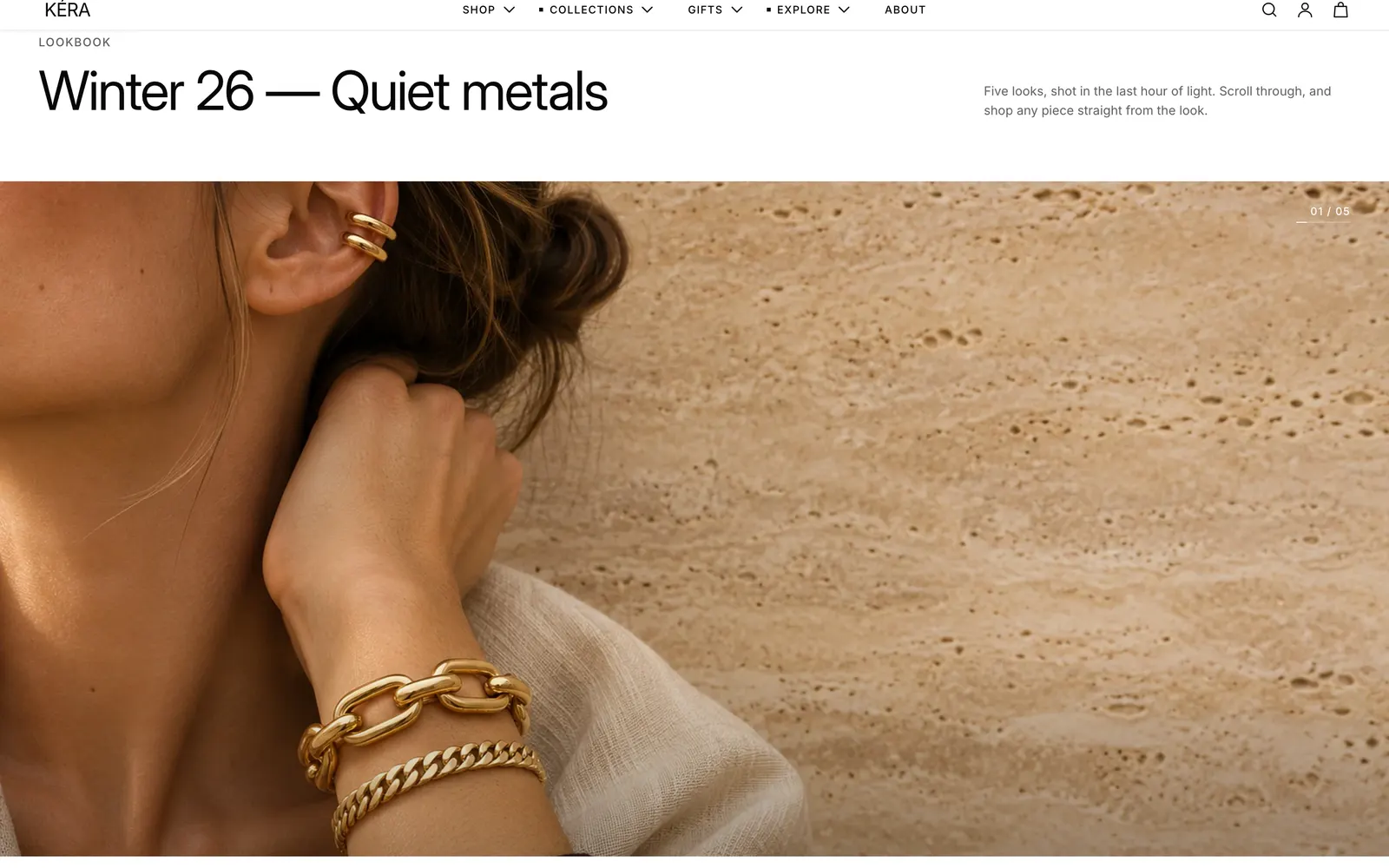
Full-width looks between an intro and an outro. Each look lists its pieces, and Add the look puts every piece in stock in the bag.
- In Online Store > Pages (opens Shopify admin in a new tab), open or add the page and set Theme template to lookbook. It already has a Lookbook section.
- In the editor, open that page, click the Lookbook section and choose a Look style.
- Click Add block > Look. Set the Image and Heading, and choose up to 6 products in Pieces. Up to 12 looks.
- Fill in the intro and outro settings.
Lookbook settings
| Setting | What it does |
|---|---|
| Look style | Full, opens to split: Shop the look opens the pieces beside the photo. Always split: side by side from the start. Full only: Shop the look goes to the look's Link. |
| Image side when split | Left, Right or Alternate. |
| Add the look label | The button also shows the total price of the pieces in stock. Empty hides it. |
| Link | Outro: the button shows only when this is set. |
| Mobile image | On a look: shown on phones, at 4:5. |
| Open the pieces on load | On a look, with Full, opens to split: that look starts with its pieces open beside the photo. Shoppers can still close them. |
Add the look adds each piece in stock as its first available variant. A look without pieces shows as Full only. Every setting: Lookbook reference
Lookbook carousel#
A row of tall look cards, each with its name and the total price of its pieces, linking to your lookbook.
- Add a Lookbook carousel section. It starts with 4 Look cards.
- In each card, set the Image and Heading, and choose the look's Pieces.
- Click the section and set Link to your lookbook page.
- Optional: give a card its own Link, such as your lookbook page with
#look-2at the end, to open that look.
Lookbook carousel settings
| Setting | What it does |
|---|---|
| Link | Used by the heading link and every card without its own link. |
| Card link label | The link on each card. |
| Cards per view on desktop | 2 to 5. A fraction such as 3.3 lets the next card peek in. |
| Image ratio | Portrait, Tall or Square. |
| Pieces | On a card: up to 6 products, used only for the piece count and total price. |
A card with no link, and no section Link, isn't clickable. Every setting: Lookbook carousel reference