

Use the Worn / Still toggle
Choose whether product cards show pieces worn or on their own, let shoppers switch, and control the toggle per collection.
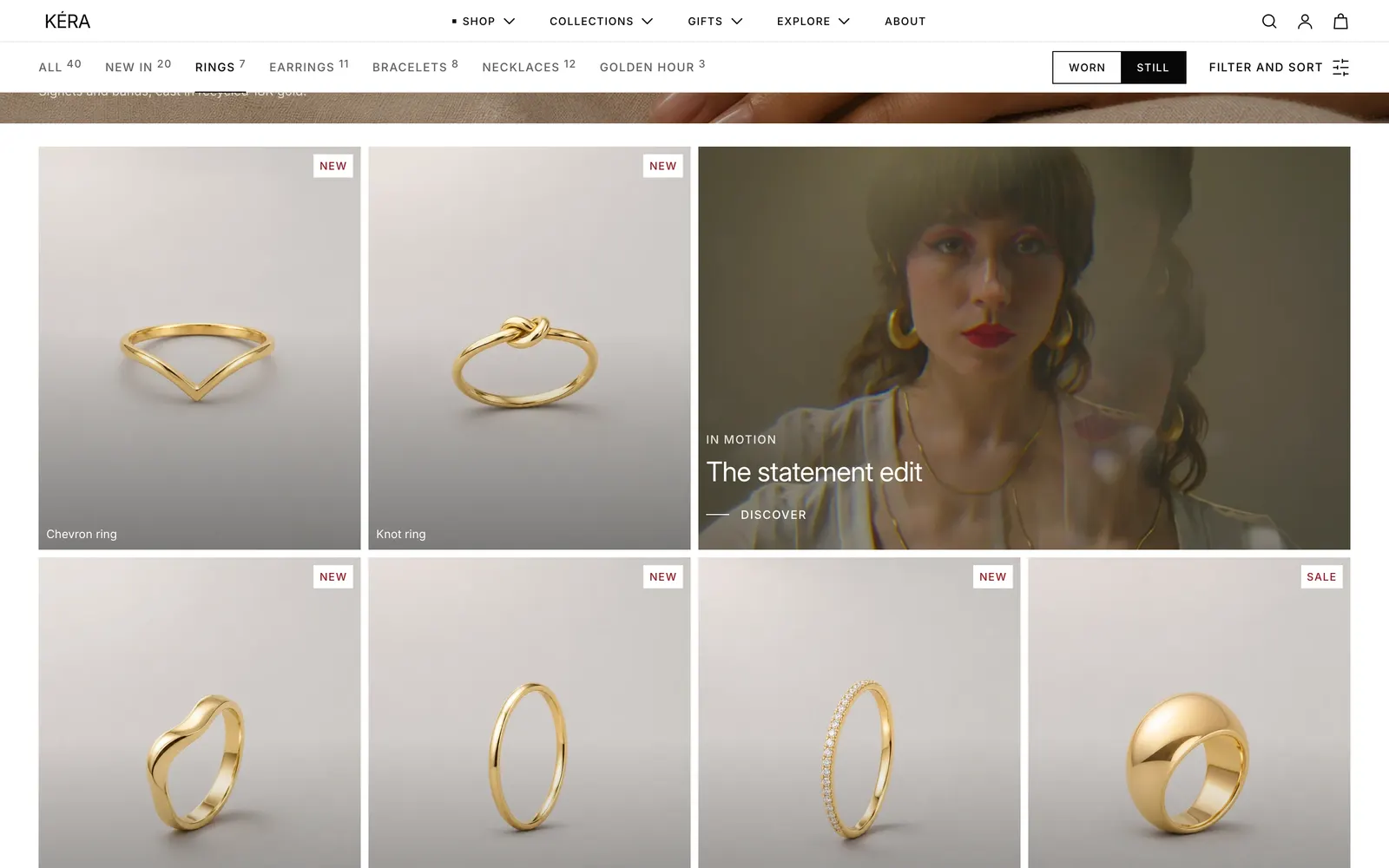
Product cards can open on a photo of the piece worn or on its own. You set the store default; shoppers switch with the Worn / Still toggle on collection pages, and their choice follows them across the store.
Set it up#
- For every product, put the photo of the piece alone first and a worn photo second (Products > the product > Media).
- In Theme settings > Product cards, set First image to Worn or Still (product only). Installs as Still (product only).
- In Collections > Default collection > Collection, keep Show worn and still toggle on.
Settings#
Settings
| Setting | What it does |
|---|---|
| First image | Worn shows each product's second image first. Still (product only) shows the first image. Installs as Still (product only). In Theme settings > Product cards. Applies to every product grid that uses product cards. |
| Show worn and still toggle | Shows the toggle in the collection's Navigation bar, next to Filter and sort (on phones, just above the products). In the Collection section. Installs on. |
Good to know#
What does the toggle change?
Every product card on the page switches at once, including cards loaded later with Load more or filters. The choice is saved in the shopper's browser and applies on every page and in other open tabs, until you change First image; then every shopper starts again from the new default. In the theme editor, cards always follow First image, so you see what new visitors see.
Which photo shows on hover?
With Product images set to Second image on hover, the hover image is the other one of the pair: the worn photo in Still, and the still photo in Worn. When a card opens on a variant that matches the filters in use, that variant's image is Still and the image after it is Worn.
Can I show or hide the toggle on one collection?
Yes, with the collection metafield custom.view_toggle. Create it as in Metafields the theme reads. On a collection, True shows the toggle even when Show worn and still toggle is off, False hides it, and empty leaves it to the section setting.
Can one product have its own worn and still banner?
Use Switch hero: see Heroes and slideshows.
The toggle doesn't show on a collection.
No product on that page has a second image, Show worn and still toggle is off, or the collection's custom.view_toggle metafield is set to false.