

Labels in square brackets
Add small labels to menu links and product photos by typing them in square brackets, and keep a photo visible for every variant with #all.
Type a label in square brackets, such as Rings [New], and the theme shows it as a badge and removes it from the printed text. No app or metafield needed.
| Where you type it | What shoppers see |
|---|---|
A menu link called Gifts [New] |
 |
A photo's alt text ending in [Bestseller] |
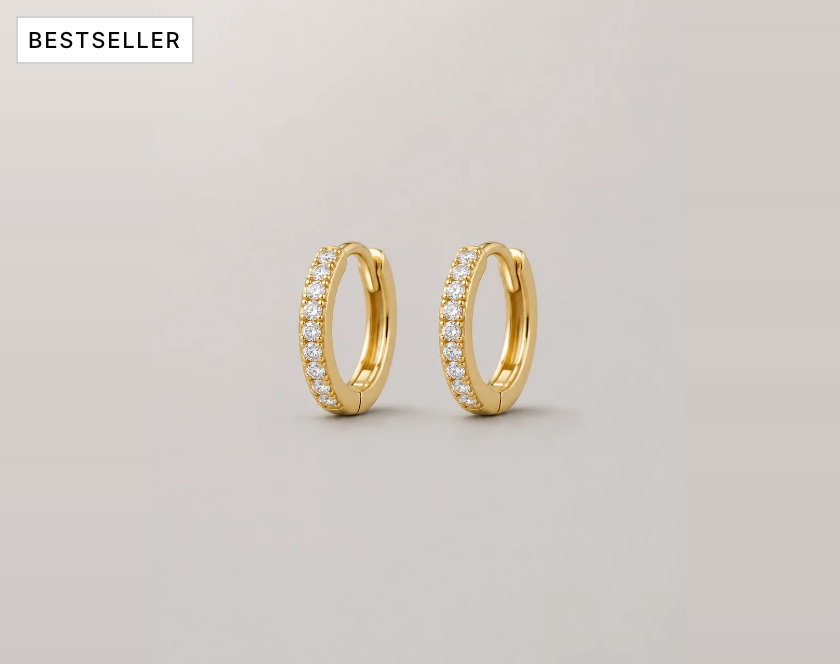 |
Set it up#
- Menu link: in Online Store > Navigation (opens Shopify admin in a new tab), open the menu and add the label to an item's name, for example
Rings [New]. - Product photo: open the product, click a photo in Media, and add the label after the alt text, for example
Sculpted hoop, worn [Bestseller]. - Save. More than one label works:
Rings [New] [Gift].
Good to know#
Where do menu labels show?
In the header, mega menus, mega menu cards and the mobile menu. Where the plain name is needed, such as an "All Rings" link or an accessible label, the theme uses "Rings".
Where do photo labels show?
In a top corner of that photo in the product page gallery. Screen readers and search engines get the alt text without the label. Turn labels off with Show labels from alt text in the Media gallery block (installs on).
How do I keep a photo for every variant?
With Selected variant photos only on in the Media gallery block, a variant shows its own image plus the photos after it, up to the next variant's image. Add #all to a photo's alt text, such as Gift box #all, to show it for every variant. The theme removes #all from the printed alt text.
How do labels look?
They use Metafield badge style (Outline, Accent or Solid) in Theme settings > Badges, and the badge shape and size. See Product cards and badges.
What are the exact rules?
A label is the text between [ and ], trimmed. A [ without a closing ] stays as typed. Empty [] shows nothing. Brackets elsewhere, such as in product titles, print as typed.
Can I translate a label?
Yes. In Translate & Adapt, translate the menu item or alt text and keep the brackets. See Translations and languages.