

Size guides
Write size guide pages, decide which page each product opens, and show the guide in a side drawer from the product page.
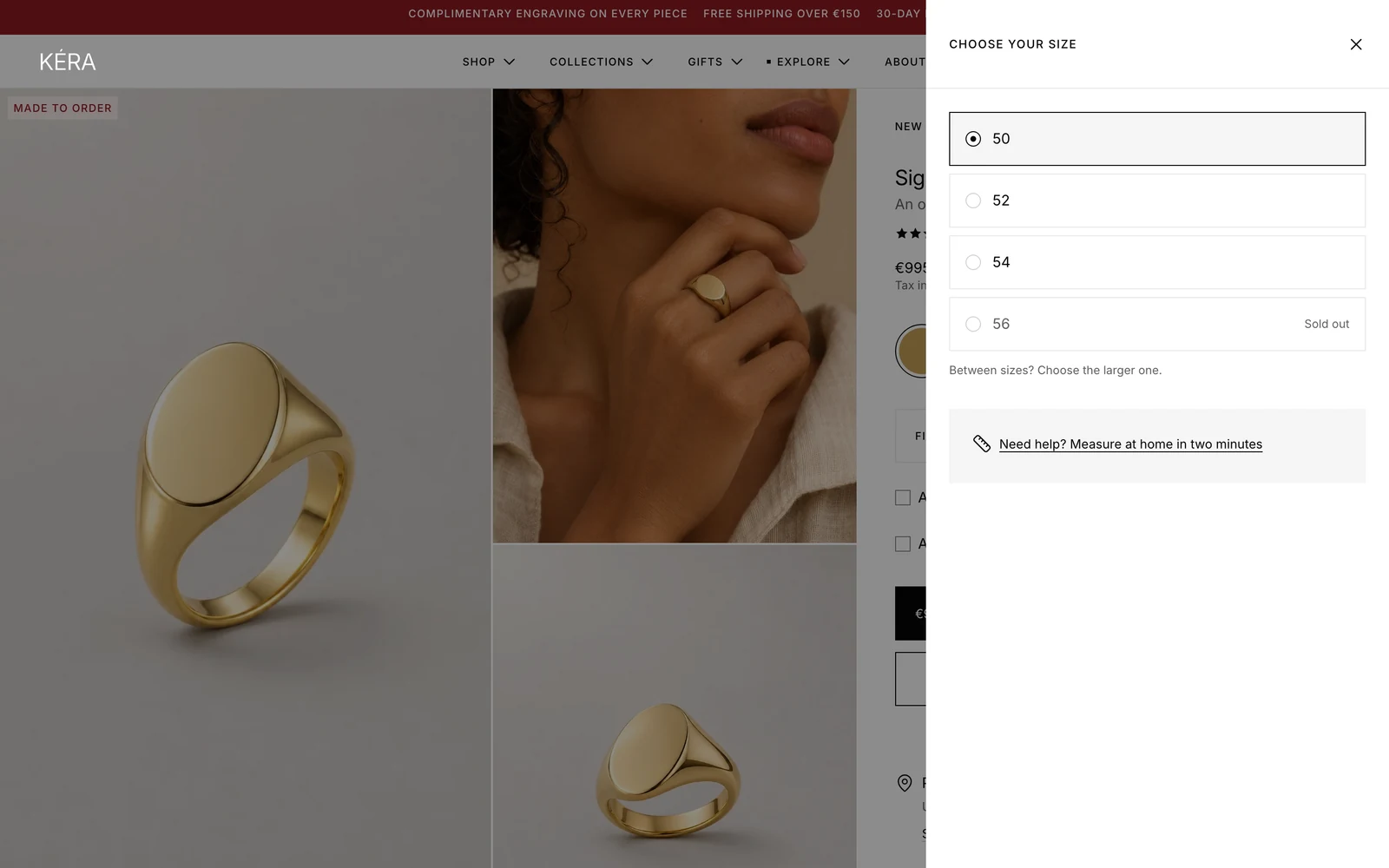
A size guide is an ordinary page in Online Store > Pages (opens Shopify admin in a new tab), opened from the product page in a side drawer (a bottom sheet on phones). Write one for the whole store, one per product type, or one per product.
Set it up#
- In Online Store > Pages (opens Shopify admin in a new tab), create a page such as "Size guide" and add your content.
- In the editor, open Theme settings > Drawers and overlays and pick it in Size guide page.
- The Variant picker already shows a Size guide link beside Size. Add a Size guide block only to a template for products without a size option.
- Optional: for a guide per product type, create a page with the handle
size-guide-plus the type, such assize-guide-rings.
Do it with Sidekick
Open Sidekick in the theme editor and paste this, with your own names. Check the preview, then click Save.
In Theme settings > Drawers and overlays, set Size guide page to my page "Size guide".
Settings#
Size guide block settings
| Setting | What it does |
|---|---|
| Label | The link text. Installs as "Size guide". |
| Page for this block | Used when the product has no guide of its own and no type page. Empty uses Theme settings > Drawers and overlays > Size guide page. |
The drawer's colors are set in Theme settings > Drawers and overlays > Product and filter drawers, shared with the engraving and filter drawers.
Good to know#
Which page does a product open?
The first one found, in this order: the product's custom.size_guide metafield (a page reference); a page with content and the handle size-guide- plus the product type; the page picked in the block (Page for this block, or Size guide page for this block on the Variant picker); then Size guide page in Theme settings. If none is found, or the page is empty, the link doesn't show; in the editor the block shows a note.
How do I name a product type page?
Use size-guide- plus the type in lowercase, spaces turned into hyphens: Rings becomes size-guide-rings, Ear cuffs size-guide-ear-cuffs. Set the handle under the page's search engine listing. An empty page is skipped. Earrings and rings can each have their own: size-guide-earrings and size-guide-rings.
How do I give one product its own guide?
In Settings > Metafields and metaobjects > Products (opens Shopify admin in a new tab), add a metafield definition custom.size_guide of type Page. Then pick the page in that metafield on the product.
How should I write the page?
The Size guide block shows the whole page. The variant picker's size help also reads parts of it. In the first table, a row whose first cell matches a size value (ignoring capitals) gives it a note from the second cell: 52 | US 6 reads "52 (US 6)". In the size drawer, the first numbered list shows as steps, such as how to measure at home, and the rest opens from the help link.