

FAQ page
Build a questions page from FAQ sections, one per topic, with answers that open in place.
The faq template shows the page title and content, then one FAQ section per topic. Each question opens in place.
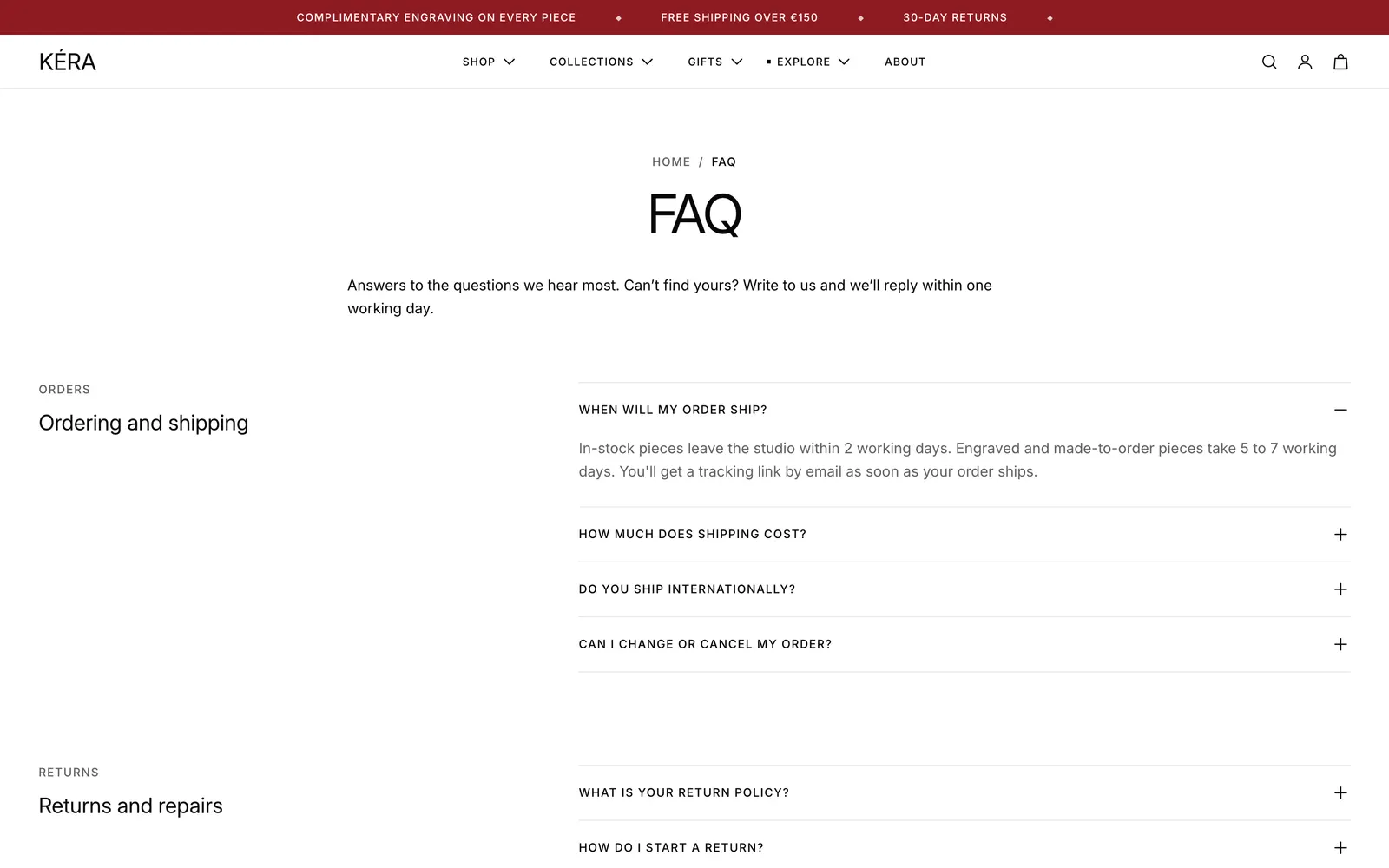
Set it up#
- In Online Store > Pages (opens Shopify admin in a new tab), open or add the page and set Theme template to faq. Its content shows above the questions.
- Select an FAQ section and set its Eyebrow and Heading.
- Select each Question block and type the Question and Answer. Use Add block > Question for more.
- Delete topics you don't need, and add more with Add section > FAQ.
Do it with Sidekick
Open Sidekick in the theme editor and paste this, with your own names. Check the preview, then click Save. Read the answers it writes: they are about your store, so correct them before you save.
On the faq page template, add an FAQ section with the heading "Care and repairs" and three Question blocks: how to clean silver, how to store pearls, and how repairs work. Write short answers I can edit.
Settings#
FAQ section settings
| Setting | What it does |
|---|---|
| Eyebrow | A short line above the heading. Default "Questions". |
| Heading | Default "Before you buy". |
| Heading size | Extra large to Extra small. Default Extra small. |
| Layout | Centered (default) puts the heading above. Heading beside puts it left on wide screens. |
| One answer open at a time | Opening a question closes the open one. Installs off. |
| Top spacing | None, Small, Medium or Large. |
| Bottom spacing | None, Small, Medium or Large. |
Question block settings
| Setting | What it does |
|---|---|
| Question | The line shoppers click. |
| Answer | Rich text: links, bold and lists. |
| Open by default | Starts open. Installs off. |
Page section settings
| Setting | What it does |
|---|---|
| Show page title | Installs on. |
| Content width | Narrow (default) or Full. |
Good to know#
What comes in the template?
Four FAQ sections with sample questions: orders and shipping, returns and repairs, materials and care, and sizing and gifts. Replace the samples with your own.
Can I show questions on the product page?
Yes. Add an FAQ section to the product template. The same questions show on every product using that template.