

Ear stack builder
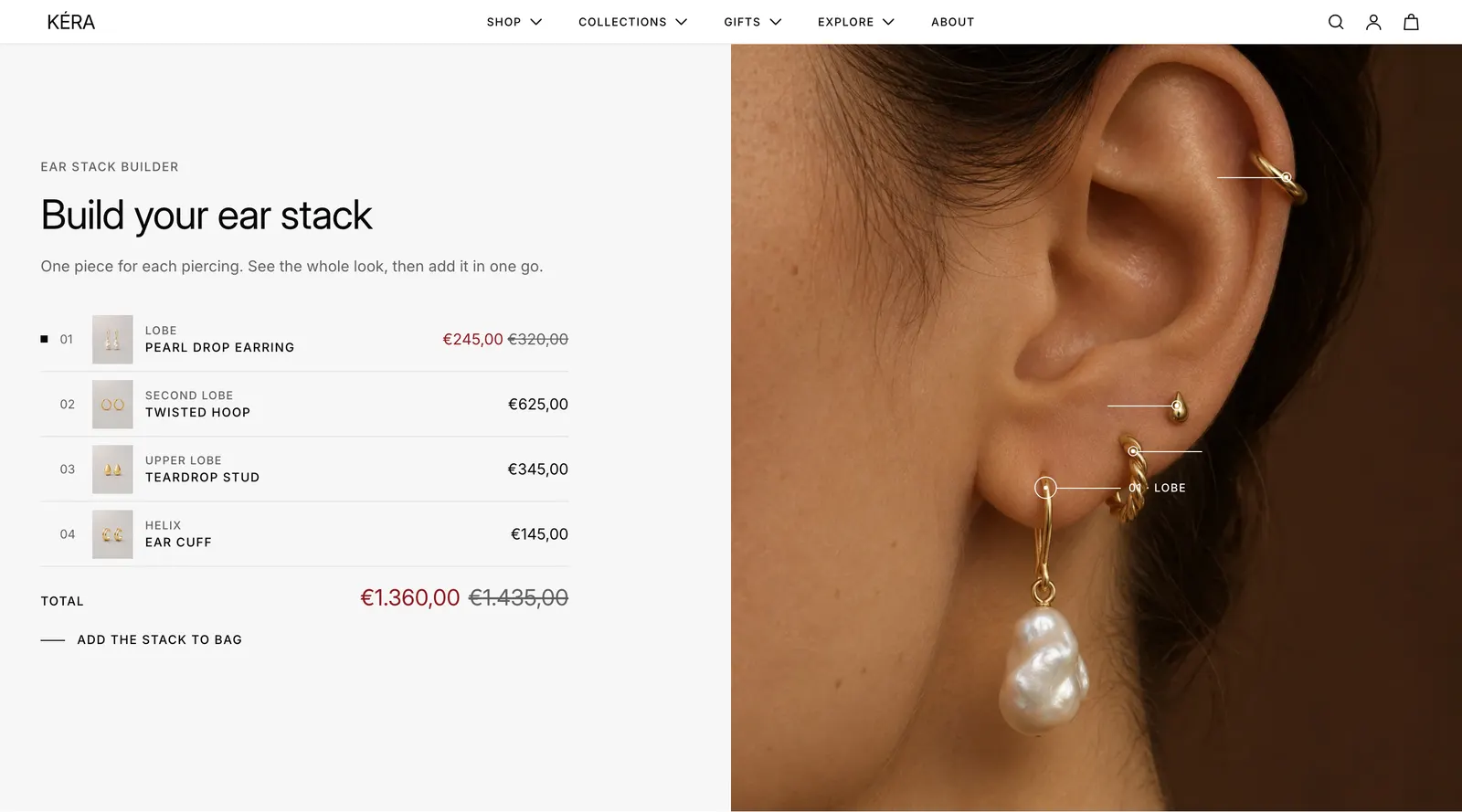
Add the Bundle builder section so shoppers see a full ear stack on one photo and add every piece to the bag in one tap.
One photo of an ear wearing the stack, a numbered row per piercing, and one button that adds the whole stack to the bag. In the editor the section is called Bundle builder.
Set it up#
- Add the Bundle builder section and upload the Image: a close-up of the ear wearing the pieces.
- Select each Product block (up to 6). Type the Piercing name and choose the Product.
- Drag Spot horizontal position and Spot vertical position until the spot sits on that piercing.
Do it with Sidekick
Open Sidekick in the theme editor and paste this, with your own names. Check the preview, then click Save.
Add the Bundle builder section to the home page under the first section. Give it three Product blocks: Lobe with "Pearl stud", Helix with "Mini hoop" and Flat with "Star stud".
Settings#
Section settings
| Setting | What it does |
|---|---|
| Color scheme | Colors of the section. Default scheme 2. |
| Image | The ear wearing the stack. The spots are placed on it. |
| Eyebrow | Small text above the heading. Default "Ear stack builder". |
| Heading | The section heading. Line breaks are kept. |
| Heading size | Extra large, Large, Medium (default), Small or Extra small. |
| Text | A short paragraph under the heading. |
| Top spacing | None (default), Small, Medium or Large. |
| Bottom spacing | None (default), Small, Medium or Large. |
Product block settings
| Setting | What it does |
|---|---|
| Piercing | The piercing's name, shown above the product name and on the photo. Default "Lobe". |
| Product | The piece for this piercing. |
| Spot horizontal position | Where the spot sits across the photo, 0 to 100%. Default 50%. |
| Spot vertical position | Where the spot sits down the photo, 0 to 100%. Default 50%. |
Every setting: Bundle builder reference.
Good to know#
What does the shopper see in each row?
A number, the product image, the piercing name, the linked product name and the price. Total adds up the pieces that can be bought; when one is on sale, the full total shows crossed out beside it. A sold-out piece stays in the list but is left out of the total and the add.
What happens after "Add the stack to bag"?
One of each piece goes in the bag. The bag then follows Theme settings > Cart > After adding to the bag. See Cart drawer and cart page.
Why is the add button grayed out?
No row has a product that can be bought. Choose a product in at least one row, and check it's in stock and available on the Online Store.
Can I use it for rings or necklaces?
Yes. It works with any photo and any products. Rename the rows in Piercing and change the eyebrow and heading.